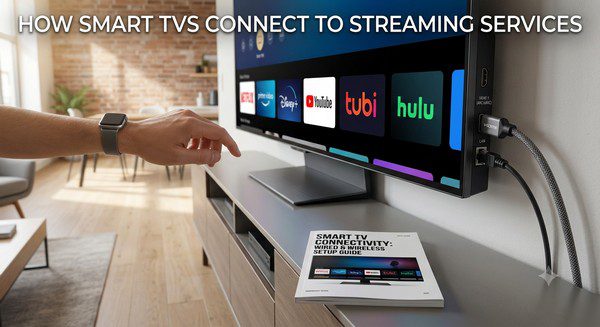
How Smart TVs Connect to Streaming Services
Smart TVs have completely changed the way people watch television. Instead of relying only on cable or satellite TV, a Smart TV can connect directly to the internet and give you access to thousands of movies, TV shows, live channels, sports, and music through streaming apps.
Whether you’ve just bought your first Smart TV or want to understand how streaming works, this guide explains everything you need to know. We’ll cover how Smart TVs connect to streaming services, what you need to get started, common connection methods, and tips for getting the best viewing experience.
What Is a Smart TV?
A Smart TV is a television that includes built-in internet connectivity and its own operating system. Unlike older televisions that only display content from cable boxes or DVD players, Smart TVs can run apps, browse online content, and stream videos directly over the internet.
Most modern Smart TVs include popular streaming apps already installed or available through an app store. This means you don’t necessarily need an additional streaming device to enjoy online entertainment.
Today’s Smart TVs are available from many manufacturers and come with different operating systems, but they all share the same goal: making it easy to access streaming services from one place.
How Does a Smart TV Connect to the Internet?
Before you can use streaming services, your Smart TV needs an internet connection. There are two common ways to connect.
Wi-Fi Connection
The easiest method is connecting your television to your home’s Wi-Fi network.
During the initial setup, the TV scans for available wireless networks. After selecting your Wi-Fi and entering the password, the television connects to the internet just like a smartphone or laptop.
Most households use Wi-Fi because it doesn’t require running additional cables.
Ethernet Connection
If your television is close to your internet router, you can connect it using an Ethernet cable.
A wired connection often provides more stable performance, especially when streaming high-definition or 4K content.
Many users choose Ethernet if they frequently watch live sports, movies in ultra-high definition, or experience occasional Wi-Fi interruptions.
What Happens After Your TV Is Connected?
Once your Smart TV has internet access, it can communicate with online streaming platforms.
When you open a streaming app, the app connects securely to the provider’s servers over the internet. After you sign in (if required), the service verifies your account and loads its catalog of available content.
When you select a movie or TV show, the video begins streaming almost immediately. Instead of downloading the entire file first, the content is delivered in small pieces continuously while you watch.
This technology allows videos to begin playing quickly while reducing waiting times.
Popular Streaming Services Available on Smart TVs
Most Smart TVs support a wide variety of streaming platforms. The exact selection depends on your TV’s operating system and your country.
Common categories include:
- Movie streaming services
- TV series platforms
- Live TV streaming services
- Sports streaming apps
- News channels
- Music streaming services
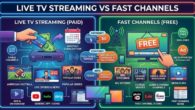
- Free ad-supported streaming platforms (FAST)
- Educational content
- Kids’ entertainment apps
Many televisions also include app stores where additional streaming applications can be downloaded.
Do You Need an Account?
It depends on the streaming service.
Subscription-based platforms require you to create an account and sign in before watching. These services usually charge a monthly or yearly fee.
Many free streaming services, however, allow you to start watching immediately without creating an account. Some also offer optional registration that lets you save favorites, resume playback across devices, or receive personalized recommendations.
How Streaming Quality Is Adjusted
Most streaming services automatically adjust video quality based on your internet speed.
If your connection is fast, videos may play in Full HD or 4K resolution. If your internet slows down, the streaming service temporarily lowers the video quality to reduce buffering.
This process happens automatically and usually goes unnoticed by the viewer.
Can Older TVs Stream Content?
Yes. Even if your television isn’t a Smart TV, you can still enjoy streaming services by connecting an external streaming device.
Popular streaming devices plug into an HDMI port and provide many of the same features found on Smart TVs.
This can be an affordable alternative to replacing an older television.
Why Internet Speed Matters
A reliable internet connection is one of the most important parts of a good streaming experience.
Slower internet speeds may cause:
- Buffering
- Lower picture quality
- Long loading times
- Interrupted playback
If several people in your home stream videos, play online games, or attend video meetings at the same time, your internet connection may need additional bandwidth.
Common Streaming Problems
Even modern Smart TVs occasionally experience issues.
Some of the most common problems include:
- Weak Wi-Fi signal
- Outdated TV software
- Streaming app errors
- Internet outages
- Temporary service interruptions
In many cases, restarting the television or router solves the problem quickly.
Keeping Your Smart TV Updated
Manufacturers regularly release software updates that improve performance, fix bugs, add new features, and improve security.
Many Smart TVs can install these updates automatically when connected to the internet.
Keeping your TV updated helps ensure compatibility with the latest streaming apps and provides a smoother viewing experience.
Can You Use Multiple Streaming Services?
Absolutely.
Most Smart TVs allow you to install multiple streaming apps at the same time. You can switch between services in seconds using your remote control.
Many households combine several subscription services with one or two free streaming platforms to enjoy a wider variety of entertainment while keeping monthly costs under control.
Benefits of Using a Smart TV for Streaming
- No cable box required.
- Easy access to thousands of movies and TV shows.
- Simple user interface.
- Supports both paid and free streaming services.
- Works with many popular apps.
- Automatic software updates.
- Available in HD, Full HD, and 4K models.
- Can often be controlled with voice assistants.