How Often Should You Update Streaming Apps?
Most people install their favorite streaming apps and rarely think about them again. However, keeping your streaming apps updated is one of the easiest ways to improve your viewing experience. Regular updates can fix bugs, improve video playback, strengthen security, and ensure your apps remain compatible with the latest devices and operating systems.
Whether you stream movies, live TV, sports, or news, outdated apps can cause problems such as buffering, crashes, login issues, or missing features. Fortunately, updating your apps usually takes only a few minutes, and many devices can even do it automatically.
In this guide, you’ll learn why streaming app updates matter, how often you should check for updates, and some simple tips to keep everything running smoothly.
Why Streaming Apps Receive Updates
Streaming services are constantly improving their platforms. Developers regularly release updates to enhance performance, introduce new features, and fix problems reported by users.
A typical update may include:
- Bug fixes.
- Improved video playback.
- Better app stability.
- Security improvements.
- New user interface features.
- Compatibility with newer devices.
Even if an update doesn’t look exciting, it often improves the overall streaming experience behind the scenes.
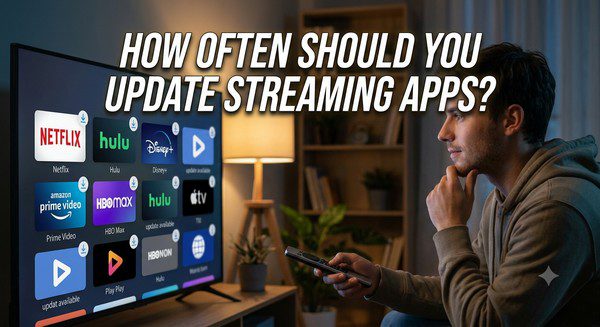
How Often Should You Update Streaming Apps?
There isn’t a single schedule that works for every app because each streaming service releases updates at different times.
As a general rule, you should:
- Enable automatic updates whenever possible.
- Check manually every few weeks if automatic updates are unavailable.
- Install updates soon after they become available.
Regular updates help ensure you’re using the latest version with the newest improvements and security fixes.
Benefits of Updating Streaming Apps
Better Performance
Updates often improve how quickly an app starts, loads menus, and plays videos. They can also reduce crashes and improve overall responsiveness.
Fewer Buffering Problems
Although buffering is often caused by internet issues, app updates sometimes include improvements that make streaming more stable and efficient.
Improved Security
Like any software connected to the internet, streaming apps benefit from security updates. These updates help protect your account and personal information by fixing known vulnerabilities.
Access to New Features
Streaming services frequently introduce new tools and features through updates, such as improved search, personalized recommendations, enhanced subtitles, or redesigned menus.
Better Device Compatibility
As Smart TVs, smartphones, and streaming devices receive operating system updates, streaming apps must also evolve to remain fully compatible.
What Happens If You Don’t Update?
Skipping updates doesn’t always cause immediate problems, but over time you may notice:
- Slower performance.
- Unexpected crashes.
- Playback errors.
- Login problems.
- Missing features.
- Compatibility issues after system updates.
In rare cases, very old versions may eventually stop working if they are no longer supported by the streaming provider.
Should You Enable Automatic Updates?
For most users, the answer is yes.
Automatic updates ensure your apps stay current without requiring you to remember to check manually. This is especially useful if you use multiple streaming services across several devices.
If you prefer more control, you can update apps manually, but be sure to check for new versions regularly.
Don’t Forget Device Software Updates
Updating your streaming apps is important, but it’s only part of the picture. Your Smart TV, streaming stick, media player, smartphone, or tablet also receives operating system updates.
These updates often improve:
- Overall performance.
- Network reliability.
- Security.
- Support for newer streaming technologies.
- Compatibility with updated apps.
Keeping both your apps and your device software current helps avoid many common streaming issues.
How to Check for App Updates
The exact steps vary depending on your device, but the process is usually simple.
- Open your device’s app store.
- Go to the installed apps section.
- Look for available updates.
- Install any updates that are available.
Many Smart TVs and streaming devices also include an option to update all apps at once.
When Should You Update Immediately?
Some updates are more important than others. It’s a good idea to install an update as soon as possible if:
- The app frequently crashes.
- You can’t sign in.
- Videos won’t play correctly.
- The provider announces an important security update.
- A new feature you want has been released.
Common Myths About App Updates
Myth: Updates Only Change the Design
False. Many updates improve performance, security, and stability even if the interface looks the same.
Myth: Updating Makes Devices Slower
False. Most updates are designed to improve performance or fix existing problems. If an older device feels slow, the cause is often limited hardware rather than the update itself.
Myth: If the App Works, There’s No Need to Update
False. Even a working app may contain security vulnerabilities or compatibility issues that updates are designed to address.
Tips for Keeping Streaming Apps Running Smoothly
- Enable automatic app updates.
- Keep your device’s operating system updated.
- Restart your streaming device occasionally.
- Remove apps you no longer use.
- Maintain a stable internet connection.
- Check for updates if you experience playback problems.
Frequently Asked Questions
How often should I update my streaming apps?
If automatic updates are enabled, you usually don’t need to do anything. Otherwise, checking every few weeks is a good habit.
Will updating delete my watchlist or account?
No. App updates generally preserve your account, watch history, and saved preferences.
Do updates fix buffering?
Sometimes. While buffering is often related to internet speed or Wi-Fi, updates may improve playback performance and fix software bugs.
Should I update all my streaming apps?
Yes. Keeping all your streaming apps updated helps improve security, stability, and compatibility across your devices.
Can outdated apps stop working?
Yes. Older versions may eventually lose support or become incompatible with newer operating systems and streaming services.
Final Thoughts
Updating your streaming apps is one of the simplest ways to maintain a reliable and enjoyable viewing experience. Regular updates help improve performance, fix bugs, strengthen security, and ensure compatibility with the latest devices and streaming technologies.
For most people, enabling automatic updates is the easiest solution. Combined with regular operating system updates and a stable internet connection, keeping your apps current will help you enjoy smoother streaming, fewer technical issues, and access to the newest features as they become available.