
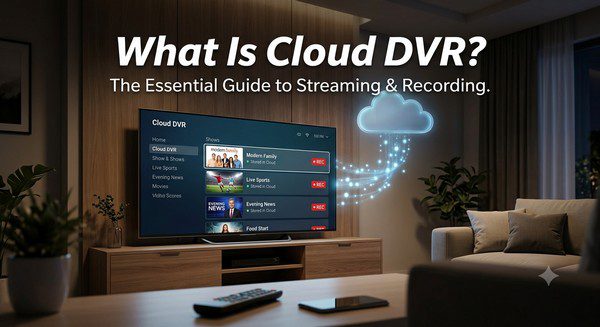
What Is Cloud DVR? A Complete Beginner’s Guide
If you’ve ever wanted to record a live TV program and watch it later without using a traditional DVR box, you’ve already seen one of the biggest advantages of modern streaming services: Cloud DVR. This feature has become a standard offering on many live TV streaming platforms, giving viewers the freedom to enjoy television on their own schedule.
Unlike traditional DVR systems that store recordings on a physical device in your home, Cloud DVR saves your recordings securely on remote servers managed by your streaming provider. This means you can access your recorded shows from multiple devices without needing extra hardware.
Whether you’re new to cord-cutting or simply curious about how Cloud DVR works, this guide explains everything you need to know, including its benefits, limitations, and how it compares to traditional recording technology.
What Is Cloud DVR?
Cloud DVR, short for Cloud Digital Video Recorder, is a feature that allows you to record live television through a streaming service. Instead of storing recordings on a hard drive inside your home, the content is saved on secure cloud servers operated by the streaming provider.
Once a program has been recorded, you can watch it later using your streaming account. In most cases, your recordings are available on Smart TVs, smartphones, tablets, computers, and streaming devices, making it easy to continue watching wherever you are.
Cloud DVR provides many of the same features as a traditional DVR while eliminating the need for additional recording equipment.
How Does Cloud DVR Work?
Cloud DVR is designed to be simple and convenient.
When browsing the live TV guide, you select the program you want to record and choose the recording option. The streaming service automatically saves the broadcast to your Cloud DVR library.
After the program ends, the recording becomes available in your account. You can then watch it whenever it’s convenient, as long as it remains within your provider’s storage and retention limits.
Many services also allow you to record entire television series automatically, ensuring every new episode is saved without any additional effort.
How Is Cloud DVR Different from Traditional DVR?
| Feature | Cloud DVR | Traditional DVR |
|---|---|---|
| Storage Location | Online cloud servers | Local hard drive |
| Extra Equipment | Not required | DVR box required |
| Watch on Multiple Devices | Yes | Usually limited |
| Hardware Maintenance | Handled by the provider | User depends on physical hardware |
| Risk of Hardware Failure | Very low | Possible |
Benefits of Cloud DVR
No DVR Box Required
One of the biggest advantages is that you don’t need to rent or purchase additional recording equipment. Everything is handled online by the streaming service.
Access Your Recordings Anywhere
Because recordings are stored in the cloud, you can usually access them from any supported device after signing into your account.
This allows you to begin watching on your television and continue later on your smartphone or tablet.
Automatic Series Recording
Many streaming platforms allow you to record an entire TV series with a single click. Every new episode is automatically added to your library.
Easy Library Management
Your recordings are organized digitally, making them easy to browse, search, and delete whenever necessary.
No Hard Drive Limitations
Unlike older DVR boxes that could fill up quickly, many Cloud DVR services now offer generous storage limits or even unlimited recording capacity for eligible plans.
Possible Limitations
Although Cloud DVR is very convenient, there are a few things to consider before relying on it completely.
- Storage limits vary by provider.
- Some recordings automatically expire after a certain period.
- Commercial skipping may not be available for every channel.
- An internet connection is required to access recordings.
- Certain features may depend on your subscription plan.
Before subscribing to a live TV streaming service, it’s worth reviewing its Cloud DVR features and storage policies.
How Much Storage Do You Need?
The amount of Cloud DVR storage you need depends on your viewing habits.
If you only record a few programs each week, a basic storage allowance is usually enough. Families that regularly record movies, sporting events, and multiple television series may benefit from providers offering larger or unlimited storage.
Fortunately, many streaming services have significantly increased their Cloud DVR capacity over the past few years.
Can You Fast-Forward Through Commercials?
Whether you can skip advertisements depends on the streaming service and the specific content being recorded.
Some providers allow viewers to fast-forward through commercials in recorded programs, while others restrict this feature because of licensing agreements with broadcasters.
If commercial skipping is important to you, compare providers before subscribing.
Who Should Use Cloud DVR?
Cloud DVR is useful for almost anyone who watches live television, especially people who:
- Work during live broadcasts.
- Watch sports regularly.
- Follow weekly TV series.
- Have busy family schedules.
- Prefer watching programs at their own convenience.
It offers much greater flexibility than relying on live television schedules.
Tips for Getting the Most from Cloud DVR
- Record complete TV series instead of individual episodes.
- Delete old recordings you no longer plan to watch.
- Check your available storage regularly if your provider has limits.
- Keep your streaming apps updated for the latest DVR improvements.
- Use a reliable internet connection for smooth playback.
Common Myths About Cloud DVR
Myth: You Need Special Hardware
False. Cloud DVR works through your streaming service and doesn’t require a physical DVR box.
Myth: Recordings Are Lost if Your Device Breaks
False. Since recordings are stored online, they remain available after you sign in on another supported device.
Myth: Cloud DVR Is Difficult to Use
False. Most streaming services let you schedule recordings with just a few clicks.
Frequently Asked Questions
Is Cloud DVR free?
Some streaming services include Cloud DVR in their standard plans, while others reserve additional storage or advanced features for higher-tier subscriptions.
Can I watch Cloud DVR recordings offline?
Most providers require an internet connection to access Cloud DVR recordings, although some services may offer offline viewing for certain content.
Can I record every live channel?
Most live channels support recording, but availability depends on the streaming provider and its licensing agreements.
How long are recordings kept?
This varies by provider. Some recordings remain available for several months, while others may expire sooner depending on the service.
Can multiple family members use the same Cloud DVR?
Many streaming services allow multiple household members to access recordings, although features vary depending on the provider and subscription plan.
Final Thoughts
Cloud DVR has become one of the most valuable features offered by modern live TV streaming services. It combines the convenience of traditional DVR recording with the flexibility of cloud technology, allowing you to watch your favorite programs whenever and wherever it’s most convenient.
Whether you’re recording live sports, television series, or daily news broadcasts, Cloud DVR helps you take control of your viewing schedule without the need for extra hardware. As streaming services continue to improve their recording features, Cloud DVR is becoming an essential part of the cord-cutting experience.