What Is Video Streaming?
Video streaming has changed the way people watch entertainment. Instead of waiting for scheduled TV programs or buying physical DVDs, you can instantly watch movies, TV shows, live sports, news, and videos over the internet whenever you want. Today, millions of people stream content every day using Smart TVs, smartphones, tablets, laptops, and streaming devices.
The popularity of video streaming has also helped fuel the growth of cord-cutting, allowing many households to cancel expensive cable or satellite subscriptions while still enjoying a huge selection of content. Whether you’re watching a blockbuster movie, a live football match, or a cooking tutorial, streaming has become one of the easiest ways to access entertainment.
In this guide, you’ll learn what video streaming is, how it works, the different types of streaming, its advantages, and why it has become the preferred way to watch television and online video.
What Is Video Streaming?
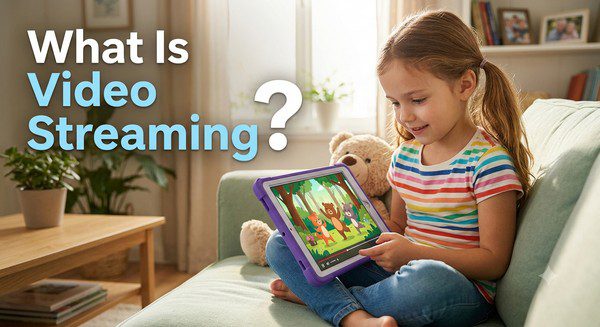
Video streaming is the process of watching video content over the internet without downloading the entire file first.
Instead of waiting for a complete movie or TV episode to download to your device, the video begins playing almost immediately while the remaining content continues to load in the background.
This technology allows viewers to enjoy smooth playback with only a short loading time, provided they have a stable internet connection.
How Does Video Streaming Work?
When you press the Play button on a streaming app or website, the video is sent from a remote server through the internet to your device in small pieces called data packets.
Your streaming app temporarily stores a small amount of this data in a buffer. As you continue watching, new data arrives continuously while previously viewed content is removed from temporary memory.
If your internet connection is stable and fast enough, this process happens seamlessly, creating the impression that the video is playing continuously.
What Do You Need to Stream Video?
Streaming is simple, but you do need a few basic things.
- A reliable internet connection.
- A compatible device.
- A streaming app or website.
- Speakers or headphones for audio.
Many households already have everything they need to start streaming.
Devices That Support Video Streaming
One of streaming’s biggest advantages is its flexibility. You can watch content on many different devices.
- Smart TVs.
- Streaming devices.
- Desktop and laptop computers.
- Android phones and tablets.
- iPhones and iPads.
- Game consoles.
Many streaming services also allow you to switch between devices without losing your place in a movie or TV show.
Types of Video Streaming
On-Demand Streaming
On-demand streaming allows you to choose exactly what you want to watch and when you want to watch it. Movies and TV shows can be started, paused, or resumed whenever it’s convenient.
Live Streaming
Live streaming broadcasts events as they happen. This includes news, sports, concerts, award shows, and other live programming.
Free Ad-Supported Streaming
Some services allow you to watch movies and TV channels for free in exchange for viewing advertisements during playback.
Benefits of Video Streaming
Watch Anytime
You are no longer limited by television schedules. Most streaming content is available whenever you want to watch it.
Works Almost Anywhere
With an internet connection, you can stream from home, while traveling, or anywhere your supported device can connect online.
Large Content Libraries
Streaming platforms often provide access to thousands of movies, TV series, documentaries, children’s programs, and live channels.
No Long-Term Contracts
Many streaming services offer flexible monthly subscriptions without requiring lengthy contracts.
Multiple Viewing Options
Depending on the provider, you may be able to stream on several devices at the same time, making streaming suitable for families.
Common Streaming Quality Options
Streaming services offer different video resolutions depending on your internet speed and subscription plan.
- SD (Standard Definition)
- HD (High Definition)
- Full HD (1080p)
- 4K Ultra HD
- HDR on supported content and devices
Many platforms automatically adjust video quality to match your internet connection and reduce buffering.
Video Streaming vs. Downloading
| Feature | Video Streaming | Downloading |
|---|---|---|
| Starts Playing | Almost immediately | After download finishes |
| Internet Required | Usually yes | Only for downloading |
| Storage Space | Very little | Uses device storage |
| Convenience | High | Good for offline viewing |
Why Is Streaming Replacing Traditional TV?
Many households are moving away from cable and satellite television because streaming offers greater flexibility.
Instead of paying for hundreds of channels they rarely watch, viewers can choose streaming services that match their interests.
Streaming also allows people to watch on multiple devices, pause programs whenever they want, and enjoy personalized recommendations based on their viewing history.
Common Streaming Problems
Although streaming is generally reliable, you may occasionally experience:
- Buffering.
- Blurry video.
- Slow loading times.
- Audio delays.
- Temporary service interruptions.
Most of these issues can be resolved by improving your internet connection, updating your streaming apps, or restarting your device.
Tips for Better Video Streaming
- Use a stable internet connection.
- Keep your streaming apps updated.
- Restart your streaming device occasionally.
- Use Ethernet instead of Wi-Fi when possible.
- Close unused apps running in the background.
- Select the appropriate video quality for your connection.
Common Myths About Video Streaming
Myth: Streaming Always Requires a Subscription
False. Many legal streaming platforms allow you to watch movies, TV shows, and live channels for free with advertisements.
Myth: Streaming Is Only for Smart TVs
False. You can stream on smartphones, tablets, computers, game consoles, and many other connected devices.
Myth: Faster Internet Always Means Better Video
False. While internet speed is important, factors such as Wi-Fi quality, device performance, and streaming service settings also affect the viewing experience.
Frequently Asked Questions
Is video streaming free?
Some streaming services are completely free and supported by advertisements, while others require a monthly subscription.
Do I need a Smart TV to stream?
No. You can stream on many devices, including smartphones, tablets, computers, streaming sticks, and game consoles.
Can I watch live television through streaming?
Yes. Many streaming platforms offer live TV channels, including news, sports, and entertainment.
Why does my video sometimes buffer?
Buffering usually happens when your internet connection is too slow or unstable to keep up with the selected video quality.
Can streaming completely replace cable TV?
For many households, yes. With the right combination of live TV and on-demand streaming services, it’s possible to enjoy a wide variety of entertainment without a traditional cable subscription.
Conclusion
Video streaming has transformed home entertainment by making movies, TV shows, live sports, and news available whenever and wherever people want to watch. Its convenience, flexibility, and growing selection of content have made it a popular alternative to traditional television.
Whether you’re new to streaming or considering cutting the cord, understanding how video streaming works can help you choose the right devices and services for your needs. As internet technology continues to improve, streaming is expected to remain the primary way millions of people enjoy entertainment for years to come.