What Is a Streaming Device?
Streaming has changed the way millions of people watch television. Instead of relying on cable or satellite TV, many households now use streaming services to watch movies, TV shows, sports, news, and live channels over the internet.
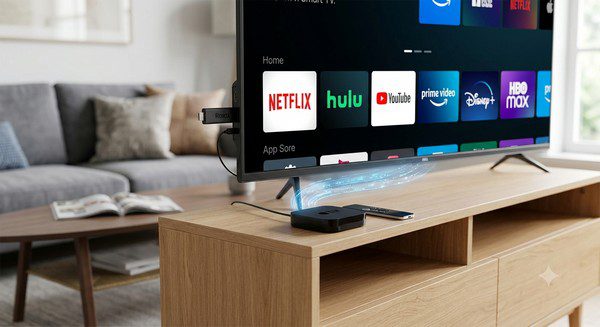
One of the easiest ways to enjoy streaming on a television is by using a streaming device. These devices connect your TV to the internet and allow you to access popular streaming apps from one convenient interface.
Whether you’re new to cord-cutting or simply wondering if you need a streaming device, this guide explains how they work, their different types, and the benefits they offer.
What Is a Streaming Device?
A streaming device is a piece of hardware that connects to your television and lets you stream video and audio over the internet.
Instead of receiving channels through a cable or satellite connection, a streaming device uses your home internet connection to access streaming services and online content.
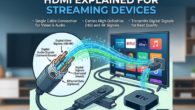
Most streaming devices connect to your TV through an HDMI port and are controlled with a remote control or, in some cases, a mobile app.
How Does a Streaming Device Work?
After connecting the device to your television and your home network, you can install or open streaming apps and begin watching content.
When you select a movie, TV show, or live channel, the streaming device downloads small amounts of video data over the internet and plays it almost immediately.
This process, called streaming, allows you to watch content without downloading the entire video first.
Common Types of Streaming Devices
There are several types of streaming devices available.
Streaming Sticks
Streaming sticks are small devices that plug directly into an HDMI port on your television.
They are compact, portable, and easy to install, making them a popular choice for most households.
Streaming Boxes
Streaming boxes are slightly larger devices that typically offer more processing power, additional ports, and extra features.
They are ideal for users who want a premium streaming experience.
Smart TVs
Many modern Smart TVs include built-in streaming platforms, eliminating the need for a separate streaming device.
However, some people still choose dedicated streaming devices because they often receive software updates more frequently and may offer faster performance.
What Can You Watch?
A streaming device gives you access to a wide variety of entertainment, including:
- Movies.
- TV series.
- Live television.
- Sports.
- News.
- Kids’ programming.
- Documentaries.
- Music.
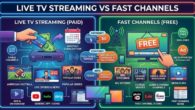
- Free FAST channels.
The available content depends on the streaming apps you install and the services available in your region.
Do You Need Internet?
Yes.
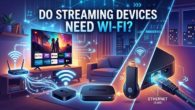
Streaming devices require an internet connection because they receive video and audio content online.
Most devices connect using Wi-Fi, while some also support a wired Ethernet connection for improved stability.
A faster and more reliable connection usually provides smoother playback and reduces buffering.
Benefits of Using a Streaming Device
Streaming devices have become popular for several reasons.
- Easy to install.
- Simple to use.
- Access to thousands of streaming apps.
- Support for both free and paid streaming services.
- Regular software updates.
- Portable enough to move between TVs.
- Many support HD and 4K streaming.
These advantages make streaming devices an attractive option for both beginners and experienced streamers.
Streaming Device vs Cable Box
| Feature | Streaming Device | Cable Box |
|---|---|---|
| Uses Internet | Yes | No (traditional service) |
| Monthly Equipment Fee | Usually No | Often Yes |
| Streaming Apps | Yes | Limited or unavailable |
| Movies On Demand | Yes | Depends on provider |
| Software Updates | Regular | Provider controlled |
Can You Use a Streaming Device Without Cable?
Absolutely.
One of the main reasons people buy streaming devices is to replace traditional cable television.
By combining streaming services, free streaming apps, and over-the-air television, many households enjoy a wide range of entertainment without maintaining a cable subscription.
Can You Use a Streaming Device on Any TV?
Most modern televisions with an HDMI port can work with a streaming device.
If your TV is older and lacks an HDMI connection, compatibility may be limited, and you may need additional adapters depending on the device.
Do Streaming Devices Support 4K?
Many newer streaming devices support 4K Ultra HD playback.
To enjoy 4K content, you’ll also need:
- A compatible 4K television.
- A streaming service that offers 4K content.
- A fast and stable internet connection.
If any of these requirements are missing, content will typically play in a lower resolution.
Are Streaming Devices Difficult to Set Up?
Not at all.
Most streaming devices can be installed in just a few simple steps:
- Connect the device to your TV’s HDMI port.
- Connect the power cable if required.
- Select the correct HDMI input on your TV.
- Connect the device to your Wi-Fi network.
- Sign in to your account.
- Install or open your favorite streaming apps.
Most users complete the setup in only a few minutes.
Who Should Buy a Streaming Device?
A streaming device is a great choice for people who:
- Want to replace cable TV.
- Own an older television.
- Want faster streaming performance.
- Need access to more streaming apps.
- Travel and want to take streaming with them.
- Prefer a dedicated streaming platform over built-in TV software.
Common Myths About Streaming Devices
Myth: You Need a Smart TV
False. Streaming devices are designed to bring streaming features to almost any TV with an HDMI port.
Myth: Streaming Devices Only Work With Paid Services
False. Many free streaming apps and FAST channels are available alongside subscription-based services.
Myth: Streaming Devices Replace Your Internet
False. A streaming device still needs an internet connection to stream online content.
Frequently Asked Questions
Is a streaming device the same as a Smart TV?
No. A Smart TV has streaming software built in, while a streaming device is separate hardware that adds streaming capabilities to a television.
Do streaming devices have monthly fees?
No. The device itself typically has no monthly fee. However, some streaming services you choose to use may require subscriptions.
Can I watch free content?
Yes. Many streaming devices support free streaming apps and FAST channels that are supported by advertisements.
Do streaming devices improve picture quality?
A streaming device doesn’t automatically improve your TV’s picture quality, but many support HD, 4K, and HDR playback when used with compatible equipment and streaming services.
Are streaming devices worth buying?
For many households, yes. They provide an easy way to access streaming services, receive regular software updates, and enjoy a smoother streaming experience than many older Smart TVs.
Streaming devices have become one of the easiest and most affordable ways to enjoy internet-based television. They provide access to thousands of movies, TV shows, live channels, sports, and free streaming services, all through a simple interface that works on most modern televisions.
Whether you’re replacing cable, upgrading an older TV, or looking for a faster streaming experience, a streaming device offers a flexible solution that can grow with your entertainment needs for years to come.