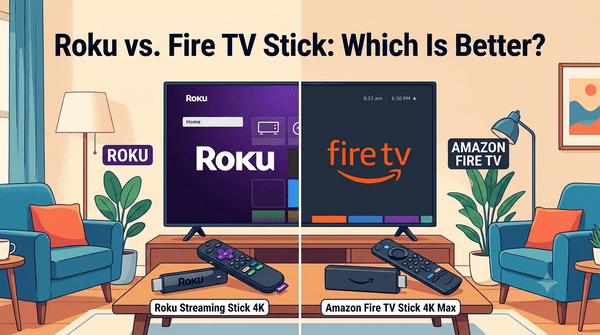
Roku vs Fire TV Stick: Which Is Better?
If you’re looking for an affordable way to stream movies, TV shows, live sports, and other online content, you’ve probably come across two of the most popular streaming devices: Roku and the Amazon Fire TV Stick. Both devices connect to your television through an HDMI port and provide access to thousands of streaming apps.
Although they perform many of the same tasks, they offer different user experiences. Roku focuses on simplicity and ease of use, while Fire TV Stick offers deeper integration with Amazon services and a feature-rich interface.
This guide compares Roku and Fire TV Stick to help you decide which streaming device is the better choice for your entertainment needs.
Quick Comparison
| Feature | Roku | Fire TV Stick |
|---|---|---|
| User Interface | Simple and clean | Content-focused |
| App Selection | Excellent | Excellent |
| Voice Assistant | Roku Voice | Alexa |
| Smart Home Integration | Limited | Excellent with Amazon devices |
| Ease of Setup | Excellent | Very Good |
| 4K Support | Available on supported models | Available on supported models |
What Is Roku?
Roku is one of the most popular streaming platforms in the world. It is available as streaming sticks, streaming boxes, and built directly into many Smart TVs.
Roku is known for its straightforward interface that places your installed streaming apps front and center. It avoids unnecessary clutter, making it especially popular with beginners and families.
What Is Fire TV Stick?
The Fire TV Stick is Amazon’s streaming device that plugs directly into your TV’s HDMI port.
It provides access to a wide range of streaming services while also integrating with Amazon’s Alexa voice assistant and other Amazon products.
The home screen emphasizes personalized recommendations and featured content, making it easy to discover new movies and TV shows.
User Interface
One of the biggest differences between Roku and Fire TV Stick is how their menus are organized.
Roku keeps things simple. The home screen mainly displays your installed streaming apps in a grid, allowing you to quickly launch your favorite services.
Fire TV Stick uses a content-first approach. Instead of focusing only on your apps, it highlights recommended movies, TV shows, live content, and featured entertainment directly on the home screen.
If you enjoy discovering new content, Fire TV Stick may appeal to you. If you prefer a clean and straightforward menu, Roku is often the easier option.
Streaming Apps
Both platforms support most major streaming services available in their regions.
You can install apps for:
- Movies.
- TV shows.
- Live TV.
- Sports.
- News.
- Music.
- Kids’ entertainment.
- Free FAST channels.
For most users, app availability is very similar on both platforms.
Voice Control
Fire TV Stick includes Alexa, allowing you to search for content, launch apps, control compatible smart home devices, and perform many voice commands.
Roku also supports voice search on many devices and remotes, making it easy to find movies or open streaming apps.
Alexa generally provides more advanced voice capabilities because it connects with Amazon’s broader ecosystem.
Performance
Performance depends on the specific model you choose.
Entry-level devices on both platforms offer smooth HD streaming, while higher-end models provide faster navigation, quicker app loading, and support for advanced video formats such as 4K and HDR.
For everyday streaming, both Roku and Fire TV Stick deliver reliable performance.
Content Recommendations
Fire TV Stick places a strong emphasis on personalized recommendations. The home screen highlights popular movies, TV shows, live channels, and suggestions based on your viewing habits.
Roku offers recommendations as well, but its interface remains focused primarily on giving users quick access to their installed apps.
Smart Home Features
If you already use Amazon smart home products, Fire TV Stick integrates naturally with Alexa-enabled devices.
You can use voice commands to control compatible smart lights, cameras, speakers, and other connected devices.
Roku offers some smart home functionality, but its ecosystem is more limited by comparison.
Setup Process
Both devices are easy to install.
The typical setup process includes:
- Connect the device to your TV’s HDMI port.
- Connect the power cable.
- Select the correct HDMI input.
- Connect to Wi-Fi.
- Sign in to your account.
- Install or open your preferred streaming apps.
Most users complete the setup in just a few minutes.
Supported Video Quality
Many Roku and Fire TV Stick models support:
- HD.
- Full HD (1080p).
- 4K Ultra HD.
- HDR on compatible models.
Your streaming quality also depends on your television, internet connection, and the streaming service you’re using.
Who Should Choose Roku?
Roku is an excellent choice if you:
- Prefer a simple interface.
- Want an easy setup process.
- Are new to streaming.
- Like quick access to your apps.
- Want a device that’s easy for the entire family to use.
Who Should Choose Fire TV Stick?
Fire TV Stick may be the better option if you:
- Already use Amazon services.
- Want Alexa voice control.
- Enjoy personalized recommendations.
- Use Amazon smart home devices.
- Like discovering new content directly from the home screen.
Common Myths About Roku and Fire TV Stick
Myth: Roku Has Fewer Streaming Apps
False. Roku supports thousands of streaming channels and most major streaming services.
Myth: Fire TV Stick Only Works With Amazon Services
False. Fire TV Stick supports a wide variety of streaming apps from many different providers.
Myth: One Device Has Better Picture Quality
False. Picture quality depends more on your TV, internet connection, streaming service, and the specific model than on the platform itself.
Frequently Asked Questions
Which device is easier for beginners?
Many first-time users find Roku slightly easier because of its clean and straightforward interface.
Can both devices stream in 4K?
Yes. Many Roku and Fire TV Stick models support 4K streaming when connected to compatible televisions and streaming services.
Do I need a subscription to use Roku or Fire TV Stick?
No. There is no monthly fee to use the devices themselves, although some streaming services require paid subscriptions.
Can I watch free streaming channels?
Yes. Both platforms support numerous free streaming apps and FAST channels supported by advertisements.
Which device offers better value?
Both provide excellent value. Roku is ideal for users who want a simple and easy-to-use streaming experience, while Fire TV Stick is a better fit for those who want deeper integration with Amazon services and Alexa.
Roku and Fire TV Stick are both outstanding streaming devices that make it easy to enjoy movies, TV shows, sports, news, and free streaming channels. They support many of the same apps and provide reliable streaming performance, but they take different approaches to the user experience.
If simplicity, speed, and ease of use are your priorities, Roku is an excellent choice. If you prefer personalized recommendations, Alexa voice control, and closer integration with Amazon’s ecosystem, Fire TV Stick may be the better option. Either device can serve as a great starting point for anyone looking to enjoy streaming without a traditional cable subscription.