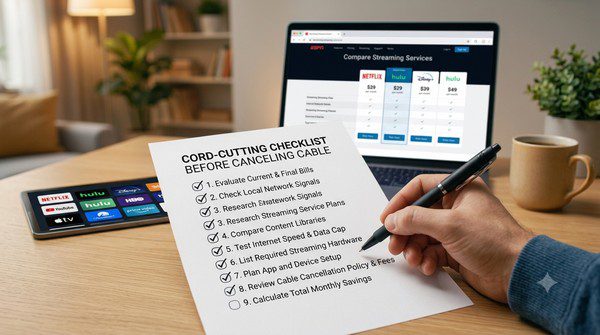
Cord-Cutting Checklist Before Canceling Cable
Canceling your cable TV subscription can be a great way to save money and gain more control over how you watch television. Millions of households have already switched from traditional cable to streaming services, enjoying flexible subscriptions, on-demand content, and live TV without long-term contracts.
However, canceling your cable service without preparing first can lead to frustration. You may discover that your favorite channels aren’t available, your internet connection isn’t fast enough, or you’ve forgotten to return rented equipment.
The good news is that these problems are easy to avoid with a little planning. This guide provides a complete cord-cutting checklist to help you prepare before canceling your cable subscription. By following these steps, you can make the transition smoother and avoid unexpected surprises.
Why Plan Before Canceling Cable?
Many people assume they can simply cancel cable and immediately switch to streaming. While this works for some households, others quickly realize they overlooked important details.
Taking time to prepare allows you to:
- Avoid losing access to your favorite channels.
- Reduce monthly entertainment costs.
- Choose the right streaming services.
- Prevent internet-related streaming problems.
- Avoid unnecessary equipment purchases.
- Enjoy a smoother transition.
Step 1: Review What You Actually Watch
Before canceling your cable subscription, spend a week paying attention to the channels you actually use.
Many people discover they regularly watch only a small percentage of the hundreds of channels included in their cable package.
Make a simple list that includes:
- Your favorite TV channels.
- Sports leagues or events you watch.
- Local news stations.
- Movie channels.
- Children’s programming.
- Special interest channels.
This list will make choosing streaming services much easier.
Step 2: Check Your Internet Connection
Unlike cable television, streaming depends entirely on your internet connection.
If your internet is slow or unreliable, you may experience:
- Buffering.
- Poor picture quality.
- Interrupted playback.
- Long loading times.
If several people in your household stream content at the same time, you may need a faster internet plan before canceling cable.
Step 3: Decide What You Want to Watch
Not every streaming service offers the same content.
Some focus on live television, while others specialize in movies, TV series, documentaries, or sports.
Ask yourself questions like:
- Do I watch live television every day?
- Do I mainly watch movies?
- How important are live sports?
- Do I need children’s programming?
- Do I watch local news?
Your answers will help narrow down your streaming options.
Step 4: Compare Streaming Services
Once you know what you watch, compare different streaming services before subscribing.
Look at factors such as:
- Monthly subscription cost.
- Available channels.
- Cloud DVR features.
- Supported devices.
- Number of simultaneous streams.
- Picture quality.
- Free trial availability.
A little research now can save both money and frustration later.
Step 5: Consider Free Streaming Services
Many people are surprised by how much free content is available today.
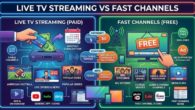
Legal ad-supported streaming platforms offer movies, TV shows, documentaries, news, and even live television channels without requiring a monthly subscription.
Adding one or two free streaming services can significantly reduce your entertainment costs.
Step 6: Check Local Channel Availability
If you regularly watch local news, weather, or sports broadcasts, make sure those channels will still be available after canceling cable.
You may be able to receive local stations through:
- A live TV streaming service.
- An indoor TV antenna.
- An outdoor antenna.
- Official broadcaster apps.
Don’t assume every streaming service includes every local station.
Step 7: Make Sure Your TV Supports Streaming
Most modern Smart TVs include built-in streaming apps.
If your television is older, you may need a streaming device that connects through an HDMI port.
Before canceling cable, verify that your equipment supports the streaming services you plan to use.
Step 8: Create Your Streaming Accounts
Set up your streaming accounts before disconnecting cable.
This allows you to test each service, become familiar with the interface, and make sure everything works properly before making the final switch.
Step 9: Learn About Cloud DVR
If you’re used to recording programs with your cable DVR, check whether your new streaming service includes Cloud DVR.
Compare:
- Storage limits.
- Recording expiration dates.
- Series recording.
- Commercial skipping.
Cloud DVR can provide a very similar experience to traditional cable DVR systems.
Step 10: Review Your Monthly Budget
One reason many people cut the cord is to save money.
However, subscribing to too many streaming services can quickly increase your monthly entertainment costs.
Create a simple budget that includes every subscription you plan to keep.
Review it every few months and cancel services you no longer use.
Step 11: Return Cable Equipment
Before canceling your service completely, check which equipment belongs to your cable provider.
You may need to return:
- Cable boxes.
- DVR units.
- Remote controls.
- Power adapters.
- Network equipment.
Ask for a receipt confirming the equipment was returned to avoid unexpected charges.
Step 12: Cancel Your Cable Subscription
Once you’ve confirmed that everything is working properly, contact your cable provider to cancel your service.
Before ending the call, ask for written confirmation of your cancellation and verify the date your service will end.
Also confirm that there are no remaining equipment fees or final charges.
Common Mistakes to Avoid
- Canceling cable before testing streaming services.
- Ignoring internet speed requirements.
- Subscribing to too many streaming platforms.
- Forgetting about local TV channels.
- Not returning rented cable equipment.
- Ignoring free streaming options.
- Choosing services without checking device compatibility.
Frequently Asked Questions
Will I save money by canceling cable?
Many households do save money, especially if they carefully choose only the streaming services they actually use.
Can I still watch live television?
Yes. Many streaming services offer live TV channels, and local broadcasts may also be available with a TV antenna.
Do I need a Smart TV?
No. Older televisions can usually stream content using an external streaming device connected through an HDMI port.
Can I keep my internet service?
In most cases, yes. Many people cancel only their cable TV service while keeping the same internet provider.
Should I cancel everything at once?
It’s usually better to set up and test your streaming services first, then cancel your cable subscription once you’re confident everything is working as expected.
Final Thoughts
Cord-cutting is easier than ever, but a little preparation goes a long way. By reviewing your viewing habits, checking your internet connection, comparing streaming services, and testing your setup before canceling cable, you can avoid common mistakes and enjoy a much smoother transition.
Remember that there isn’t a single “perfect” streaming setup. The best combination depends on what you watch, your budget, and the devices you already own. Use this checklist as a starting point, take your time comparing options, and you’ll be well prepared to enjoy the flexibility and convenience that cord-cutting offers in 2026.