
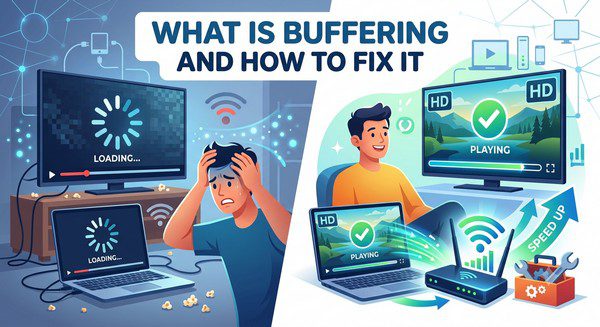
What Is Buffering and How to Fix It?
Few things are more frustrating than sitting down to watch a movie or live sporting event only to see the video pause while a loading icon spins on the screen. This problem is known as buffering, and it’s one of the most common issues people experience when streaming online.
Buffering can happen on any streaming platform, whether you’re watching a movie, TV show, live news, or a live sports event. Fortunately, buffering is usually caused by common issues that can often be fixed without replacing your TV or changing streaming services.
In this guide, you’ll learn what buffering is, why it happens, and the most effective ways to improve your streaming experience.
What Is Buffering?
Buffering is the process of temporarily loading part of a video before it plays.
When you stream content, the video is delivered over the internet in small pieces of data. Your device stores a small portion of that data in temporary memory, called a buffer, so playback can continue smoothly.
If new video data arrives fast enough, you’ll never notice buffering. However, if your device can’t download data quickly enough, the video pauses until enough content has been loaded.
Why Does Buffering Happen?
Buffering can have several causes, and it’s not always the streaming service’s fault.
Common reasons include:
- Slow internet speeds.
- Weak Wi-Fi signals.
- Network congestion.
- Too many devices using the same internet connection.
- Outdated streaming apps.
- Older streaming devices or Smart TVs.
- Temporary problems with the streaming service.
Identifying the cause is the first step toward solving the problem.
How Internet Speed Affects Buffering
Your internet connection plays a major role in streaming quality.
Higher-quality video requires more bandwidth. For example, streaming in 4K generally uses much more data than watching in HD.
If several people in your home are streaming videos, downloading large files, or playing online games at the same time, your available bandwidth may be reduced, increasing the chances of buffering.
Wi-Fi Can Make a Difference
Even if you have fast internet service, poor Wi-Fi coverage can still cause buffering.
Walls, floors, furniture, and distance from your router can weaken the wireless signal.
If possible, try moving your streaming device closer to your Wi-Fi router or connect it using an Ethernet cable for a more stable connection.
Does Video Quality Affect Buffering?
Yes. Higher video quality requires more internet bandwidth.
Many streaming services automatically adjust video quality based on your connection speed. If buffering continues, manually selecting a lower resolution, such as HD instead of 4K, may improve playback.
How to Fix Buffering Problems
If buffering occurs frequently, try these simple solutions.
- Restart your streaming device.
- Restart your modem and Wi-Fi router.
- Move closer to your Wi-Fi router.
- Use a wired Ethernet connection if possible.
- Close apps running in the background.
- Pause the video for a minute to allow more buffering.
- Update your streaming app.
- Install the latest software updates for your device.
- Reduce video quality if necessary.
In many cases, one or more of these steps can significantly improve streaming performance.
Can Too Many Devices Cause Buffering?
Yes.
If multiple family members are streaming movies, downloading files, participating in video calls, or playing online games simultaneously, your internet connection may become overloaded.
Reducing network activity during streaming can help create a smoother viewing experience.
Can the Streaming Service Be the Problem?
Sometimes.
Even well-known streaming platforms may experience temporary outages, server maintenance, or unusually high traffic during major live events.
If buffering only occurs on one streaming service while others work normally, the issue may be on the provider’s side and usually resolves after some time.
Older Devices May Buffer More Often
Older Smart TVs and streaming devices may struggle with newer streaming technologies.
Limited processing power, outdated software, or older Wi-Fi hardware can all contribute to slower performance.
If your device is several years old, keeping its software updated can help, and upgrading the hardware may improve overall streaming performance.
Tips to Prevent Buffering
- Keep your streaming apps updated.
- Restart your router occasionally.
- Keep your device software up to date.
- Use Ethernet when possible.
- Place your router in a central location.
- Avoid heavy downloads while streaming.
- Choose the appropriate video quality for your connection.
Common Myths About Buffering
Myth: Buffering Always Means Slow Internet
False. While slow internet is a common cause, buffering can also result from Wi-Fi issues, outdated apps, overloaded devices, or temporary streaming service problems.
Myth: Buying the Most Expensive Internet Plan Solves Everything
False. Faster internet helps, but poor Wi-Fi coverage or an outdated streaming device can still cause buffering.
Myth: Buffering Damages Your TV
False. Buffering is simply a temporary interruption in data delivery and does not harm your television or streaming device.
Frequently Asked Questions
Why does my video keep buffering?
Common causes include slow internet, weak Wi-Fi, network congestion, outdated apps, or problems with the streaming service.
Will restarting my router help?
Yes. Restarting your router and modem can often resolve temporary network issues that affect streaming performance.
Is Ethernet better than Wi-Fi for streaming?
In most cases, yes. A wired Ethernet connection is generally more stable and less likely to experience interference.
Does buffering use more internet data?
No. Buffering itself doesn’t increase data usage. It simply pauses playback while waiting for more video data to arrive.
Can I stop buffering completely?
While it’s impossible to guarantee that buffering will never occur, maintaining a reliable internet connection, using updated devices, and following the tips in this guide can greatly reduce how often it happens.
Buffering is a normal part of video streaming, but frequent interruptions usually point to an issue that can be improved. Whether the cause is a weak Wi-Fi signal, network congestion, outdated software, or an overloaded internet connection, most buffering problems have practical solutions.
By keeping your devices updated, optimizing your home network, and choosing the right video quality for your connection, you can enjoy smoother streaming with fewer interruptions and spend more time watching your favorite content instead of waiting for it to load.