How to Organize Streaming Apps on Your TV
As more people replace cable TV with streaming services, it’s common to end up with dozens of streaming apps installed on your Smart TV or streaming device. Between movie platforms, live TV services, sports apps, news channels, music apps, and free streaming services, your home screen can quickly become crowded.
An organized streaming setup doesn’t just look better—it also saves time. When your favorite apps are easy to find, you spend less time searching and more time enjoying your favorite shows and movies. A clean layout can also improve navigation for family members and guests.
This guide explains simple ways to organize your streaming apps, remove unnecessary clutter, and create a viewing experience that’s easier and more enjoyable.
Why Organizing Your Streaming Apps Matters
Most Smart TVs and streaming devices allow you to install many different applications. While this flexibility is convenient, too many apps can make it difficult to find what you’re looking for.
Keeping your apps organized offers several benefits:
- Faster access to your favorite streaming services.
- Less time scrolling through menus.
- A cleaner and easier-to-use home screen.
- Better experience for everyone in your household.
- Easier navigation for children and older family members.
Place Your Favorite Apps First
The easiest way to improve your streaming experience is to move your most-used apps to the beginning of your home screen.
Think about which services you open almost every day. These might include your favorite movie platform, live TV service, or free streaming app.
Most Smart TVs and streaming devices let you rearrange apps by selecting and moving them into your preferred order.
Group Similar Apps Together
A simple way to stay organized is by placing similar apps next to each other.
For example, you might arrange your apps like this:
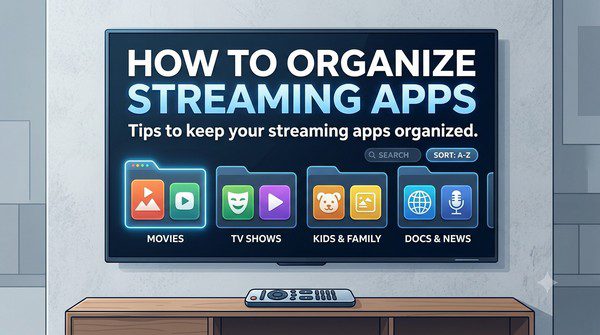
- Movie and TV streaming services.
- Live TV apps.
- Sports streaming services.
- News apps.
- Music streaming apps.
- Kids’ entertainment.
- Free streaming services.
Grouping similar apps makes them easier to find without having to search the entire screen.
Remove Apps You No Longer Use
It’s easy to install apps and forget about them. Over time, unused applications can clutter your home screen.
Every few months, review your installed apps and uninstall those you no longer use.
If you decide you need an app again later, you can usually download it again from your device’s app store.
Keep Your Home Screen Simple
You don’t need every installed app to appear on your main screen.
Some Smart TVs allow you to hide rarely used apps while keeping them installed. This creates a cleaner interface without removing the app completely.
If your device doesn’t support hiding apps, place less frequently used apps near the end of the list.
Use Search Instead of Scrolling
Many modern Smart TVs and streaming devices include a built-in search feature.
Rather than scrolling through dozens of apps, simply search for the app, movie, or TV show you want.
Some devices even search across multiple streaming services at the same time, helping you find content more quickly.
Take Advantage of User Profiles
If multiple people use the same television, individual user profiles can make the experience much more organized.
Profiles allow each family member to have:
- Personalized recommendations.
- Separate watch histories.
- Individual watchlists.
- Customized home screens on supported devices.
This helps keep everyone’s viewing preferences separate.
Keep Your Apps Updated
Regular updates improve performance, fix bugs, and sometimes introduce new features.
Many Smart TVs update apps automatically, but it’s still worth checking occasionally to ensure everything is current.
Updated apps often load faster and provide a smoother streaming experience.
Use Favorites and Watchlists
Instead of browsing through every streaming service each time you want to watch something, use the favorites or watchlist features offered by many platforms.
Saving movies and TV shows to your watchlist makes them much easier to find later.
This also reduces the time spent searching for content across multiple apps.
Organize Your Streaming Devices Too
If you own more than one streaming device, keeping them organized can make switching between rooms much easier.
Try to:
- Install the same essential apps on each device.
- Use the same account whenever possible.
- Arrange apps in a similar order.
- Keep software updated across all devices.
A consistent setup helps every family member navigate the interface with ease.
Avoid Installing Too Many Apps
Many users install every streaming app they discover, even if they only use a handful regularly.
Instead, focus on the services you actually watch. Keeping only useful apps installed makes your home screen cleaner and easier to navigate.
Common Mistakes to Avoid
- Leaving unused apps installed.
- Ignoring software updates.
- Keeping favorite apps buried at the bottom of the screen.
- Installing duplicate apps that provide similar content.
- Never reviewing your app layout.
- Sharing one profile with the entire family when multiple profiles are available.
Frequently Asked Questions
Can I rearrange apps on every Smart TV?
Most modern Smart TVs and streaming devices allow you to move or reorder apps, although the exact steps vary by manufacturer.
Will deleting an app cancel my subscription?
No. Removing an app from your device usually does not cancel your subscription. Subscription management is typically handled through your account settings or billing provider.
Should I uninstall apps I rarely use?
If you haven’t used an app for several months, uninstalling it can help reduce clutter. You can usually reinstall it later if needed.
Do app updates improve performance?
Yes. Updates often include bug fixes, security improvements, compatibility updates, and new features.
What’s the best way to organize apps?
Place your most-used apps first, group similar services together, remove unused apps regularly, and keep your home screen as simple as possible.
Final Thoughts
Organizing your streaming apps is one of the easiest ways to improve your daily viewing experience. A clean home screen makes it faster to find your favorite services, reduces clutter, and creates a more enjoyable experience for everyone in your household.
Whether you use a Smart TV, streaming stick, or media player, taking a few minutes to rearrange apps, remove unused ones, and keep everything updated can make a noticeable difference. As your streaming library grows, reviewing your setup from time to time will help keep your entertainment system simple, organized, and easy to use.